# LDAP interface working example
The LDAP implementation should support most LDAP configurations out-of-the-box.
To prevent exposure of sensitive credentials, the configuration of the interface is only available through environment variables passed to the titra service.
A minimal working example for an LDAP interface without authentication could look like this:
`LDAP_HOST=ldap.kromit LDAP_PORT=389 LDAP_BASEDN="ou=People,dc=kromit,dc=com"`
And a more complex working example if the uid in your LDAP is not the e-mail address which is the main identifier for titra before using LDAP and anonymous binds are not available:
`LDAP_HOST=ldap.kromit LDAP_PORT=389 LDAP_BASEDN="dc=kromit,dc=at" LDAP_AUTHENTICATION_USERDN="cn=admin,dc=kromit,dc=at" LDAP_AUTHENTICATION_PASSWORD="supersecret" LDAP_USER_SEARCH_FIELD="mail" LDAP_USER_AUTHENTICATION=none LDAP_EMAIL_MATCH_ENABLE=true LDAP_MERGE_EXISTING_USERS=true`
Due to the fact that environment variables are used for configuring the LDAP interface, the titra service has to be restarted to use it.
The following variables are available:
- LDAP\_HOST: The hostname of the LDAP server (mandatory)
- LDAP\_PORT: The port of the LDAP server (mandatory)
- LDAP\_BASEDN: The base dn for the LDAP search (mandatory)
- LDAP\_RECONNECT: Reconnect to the server if the connection is lost?
- LDAP\_TIMEOUT: The timeout of the LDAP connection (defaults to 10000ms)
- LDAP\_CONNECT\_TIMEOUT: The timeout of the LDAP connection attempt (defaults to 10000ms)
- LDAP\_IDLE\_TIMEOUT: The idle timeout of the LDAP connection
- LDAP\_ENCRYPTION: If using LDAPS, set it to 'ssl', else it will use 'ldap://'
- LDAP\_CA\_CERT: The certificate for the LDAPS server
- LDAP\_REJECT\_UNAUTHORIZED: Reject Unauthorized Certificates? (defaults to true)
- LDAP\_AUTHENTICATION\_USERDN: The search user dn (defaults to the LDAP\_BASEDN parameter if not provided)
- LDAP\_AUTHENTICATION\_PASSWORD: The search user password (optional)
- LDAP\_LOGIN\_FALLBACK: If the user is not found in the LDAP, try to login with the username and password? (defaults to false)
- LDAP\_USER\_AUTHENTICATION: The user authentication (defaults to LDAP\_USERNAME\_FIELD or 'uid' if neither is provided) - set to "none" to prevent user binds all-together (see complex example for a use case above)
- LDAP\_USER\_AUTHENTICATION\_FIELD: The field used for authenticating users (defaults to 'uid')
- LDAP\_USER\_ATTRIBUTES: The attributes to retrieve from the LDAP
- LDAP\_USER\_SEARCH\_FILTER: The search filter for the LDAP user search
- LDAP\_USER\_SEARCH\_SCOPE: The scope of the LDAP user search filter
- LDAP\_USER\_SEARCH\_FIELD: The field containing the user field for the LDAP search filter (defaults to LDAP\_USERNAME\_FIELD or 'uid' if neither is provided)
- LDAP\_SEARCH\_PAGE\_SIZE: The number of results per page for the LDAP user search
- LDAP\_SEARCH\_SIZE\_LIMIT: The maximum number of results for the LDAP user search
- LDAP\_GROUP\_FILTER\_ENABLE: Enable LDAP group filter? (defaults to false)
- LDAP\_GROUP\_FILTER\_OBJECTCLASS: The objectclass for the LDAP group filter
- LDAP\_GROUP\_FILTER\_GROUP\_ID\_ATTRIBUTE: The attribute containing the group id for the LDAP group filter
- LDAP\_GROUP\_FILTER\_GROUP\_MEMBER\_ATTRIBUTE: The attribute containing the group members for the LDAP group filter
- LDAP\_GROUP\_FILTER\_GROUP\_MEMBER\_FORMAT: The format for the LDAP group filter
- LDAP\_GROUP\_FILTER\_GROUP\_NAME: The name of the group for the LDAP group filter
- LDAP\_USERNAME\_FIELD: The field containing the username field (defaults to 'uid')
- LDAP\_LOG\_ENABLED: Specifies wether logs are printed to STDOUT or not (defaults to false)
- LDAP\_EMAIL\_MATCH\_ENABLE: Try to find the titra user based on the e-mail address (defaults to false)
- LDAP\_MERGE\_EXISTING\_USERS: Try to merge existing users when they try to login through LDAP for the first time (defaults to false)
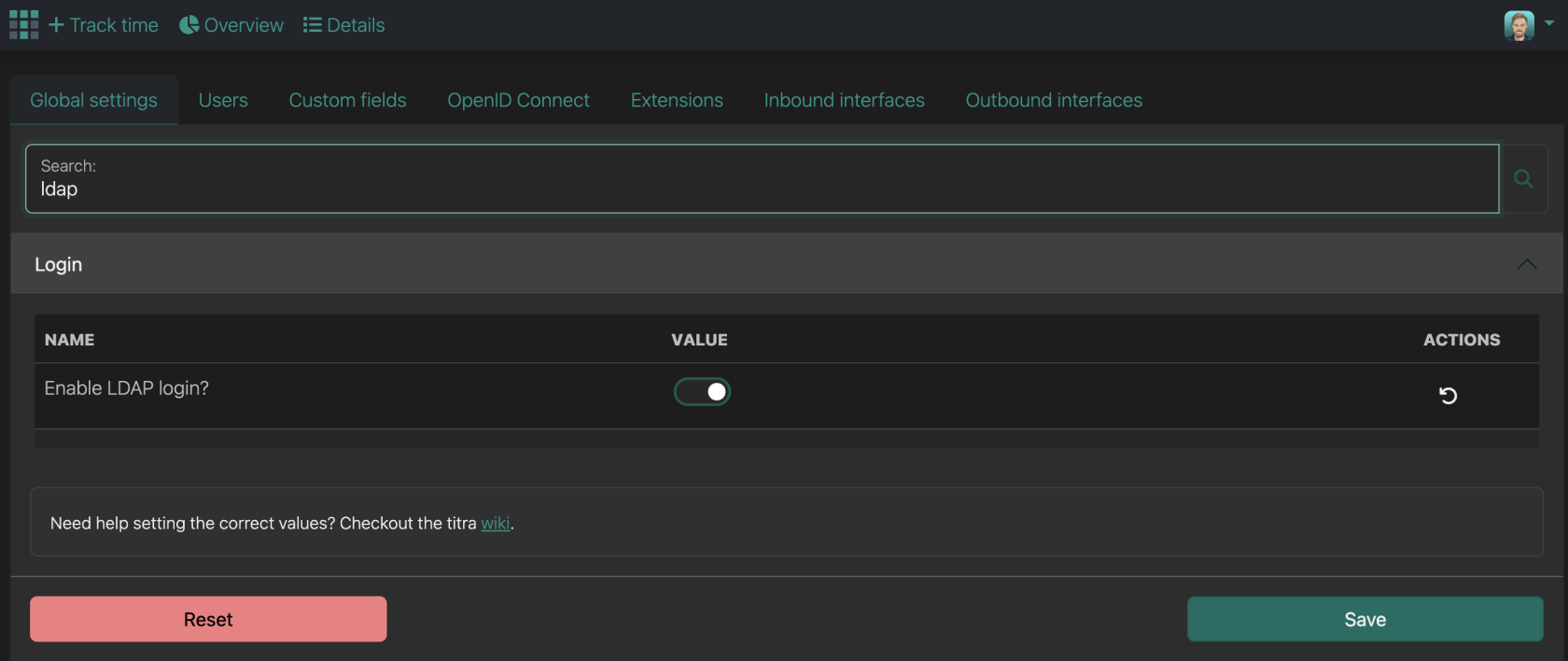
After all environment variables are set, the last step is to enable the LDAP login in the Administration > Global settings page:
[](https://wiki.titra.io/uploads/images/gallery/2026-02/image.png)