# User Administration
Users can be administered on the administration page accessible through the **Users** menu.
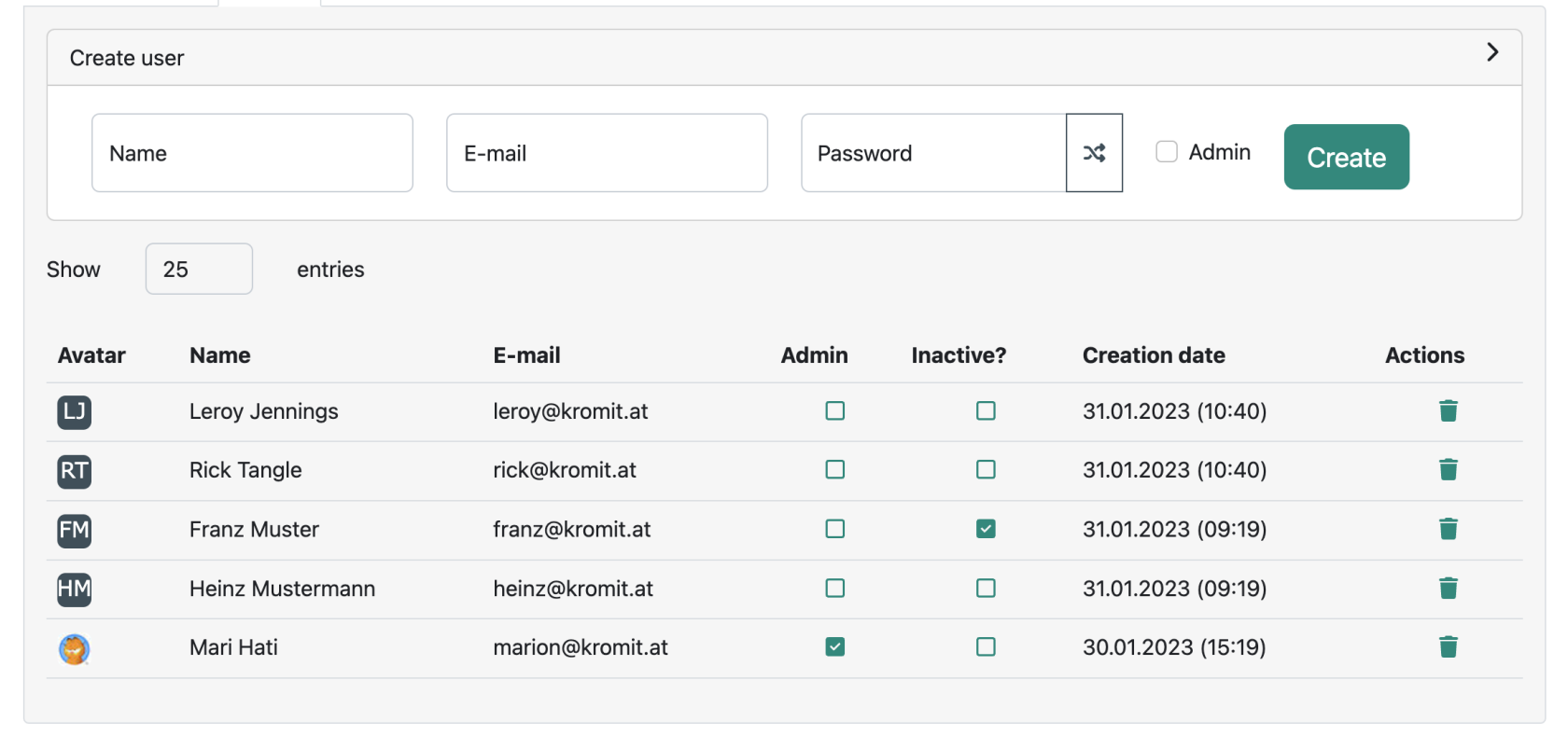
Existing users can be deleted using the actions column on the far right side. In addition users can be promoted to administrators by activating the corresponding “**Admin**” checkbox. It is possible to set a user "**inactive**" by toggling the corresponding checkbox.
[](https://wiki.titra.io/uploads/images/gallery/2023-01/bildschirmfoto-2023-01-31-um-10-41-11.png)
On this page it is also possible to **create new users** by expanding the “**Create user**” section:
It is necessary to provide the **name**, **E-mail address** and a **password** for the new user. We recommend to use the random password generator next to the password field to always generate unique new passwords for every new user. By activating the “Admin” checkbox, a new user can instantly be promoted to the administrator role.