# Interfaces
# Siwapp Invoice Export
# Zammad Ticket Import
# Wekan Kanban Board Cards Import
# GitLab Issues Import
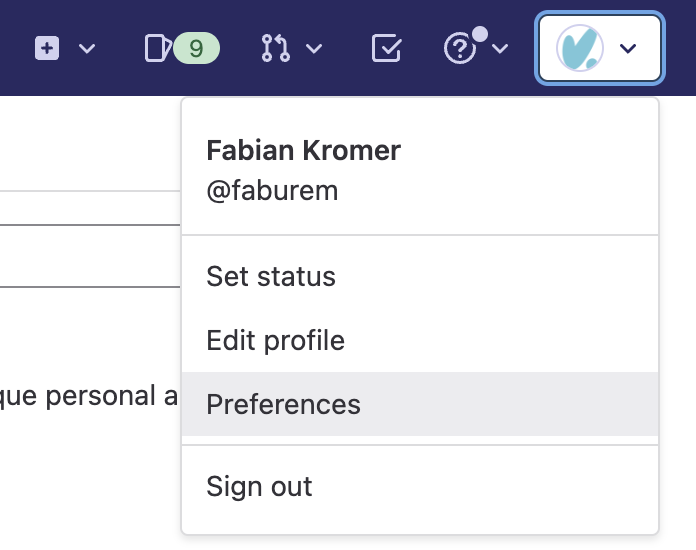
Titra requires an API token for GitLab which can be created in the top right user menu and selecting the Preferences entry:
[](https://wiki.titra.io/uploads/images/gallery/2022-11/IfTimage.png)
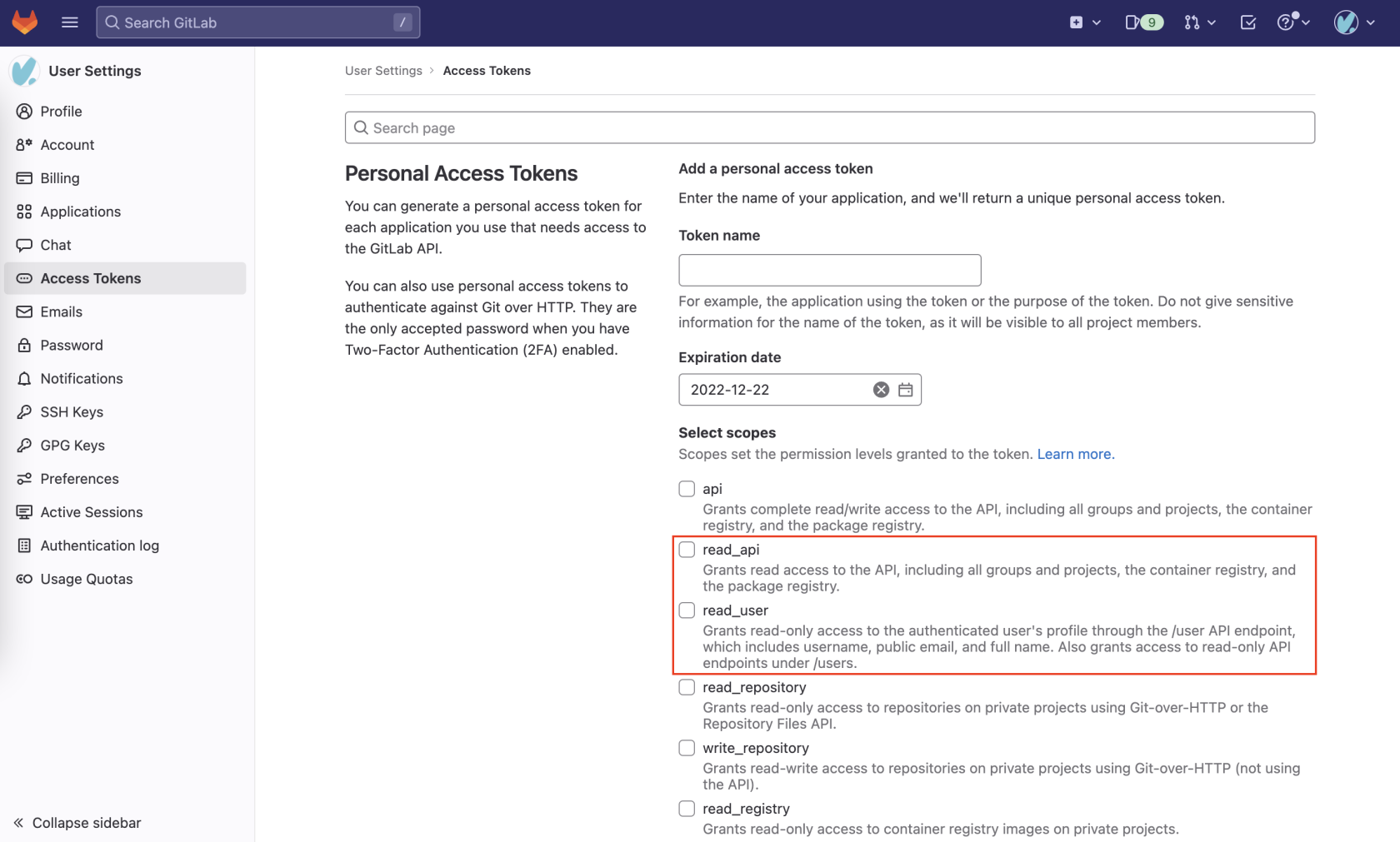
In the User Settings, navigate to Access Tokens and create a new Personal Access Token. Titra requires one of the scopes read\_api **or** read\_user. Both will work but obviously offer different degrees of access rights in regards to issue data.
[](https://wiki.titra.io/uploads/images/gallery/2022-11/image.png)
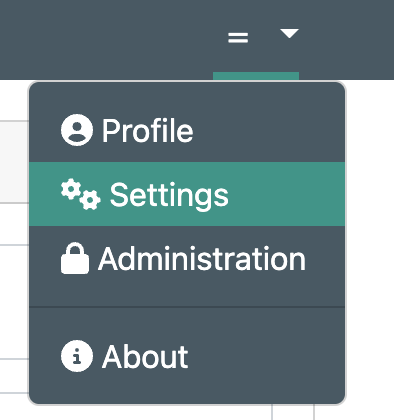
After the API token has been created, it can be added in titra in the Settings menu.
[](https://wiki.titra.io/uploads/images/gallery/2022-11/Bkoimage.png)
At the bottom, in the "Integrations" section, the GitLab Instance URL (e.g. [https://gitlab.com/](https://gitlab.com/)) can be specified along with the GitLab API token created before.
[](https://wiki.titra.io/uploads/images/gallery/2022-11/1Doimage.png)
The GitLab interface is working for both self-hosted and SaaS versions of GitLab, for self-hosted instances make sure the CORS headers are set properly to allow API connections from your titra host.